The construction daily report app for iPhone
Walk the job with your phone in one hand, log labor, equipment and materials as you go, and export a signed PDF before you leave. BuildLog runs fully offline on iPhone and iPad and syncs the moment you get signal back.
- Works offline
- Free to start
- iPhone & iPad
- Branded PDF reports
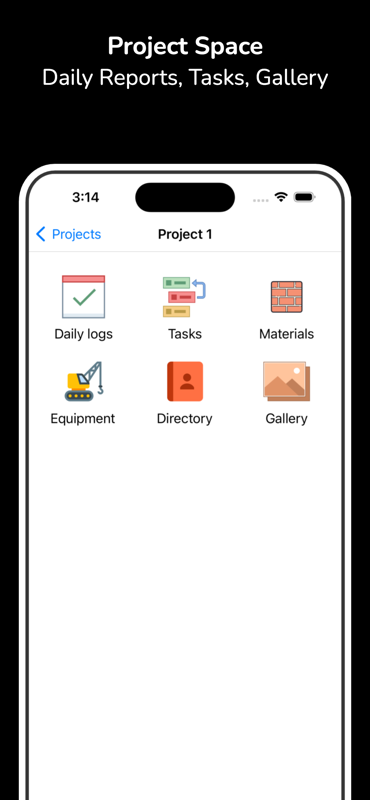
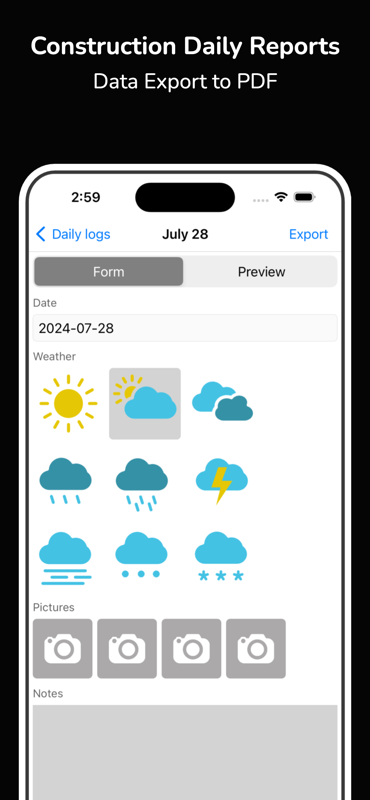
Everything a daily report needs, on your iPhone
Built for people walking a job, not for people typing up notes afterwards.
No signal, no problem
Basements, plant rooms, lift shafts, rural sites. Write the whole report with no connection at all — everything syncs when you resurface.
Straight from the camera
Attach a photo to any entry as you stand in front of it. Nothing to export from Photos afterwards, no filenames to reconcile later.
Time cards on the phone
Log crew and hours as they happen rather than reconstructing the week on Friday afternoon. Totals roll up for payroll automatically.
PDF before you leave
Generate the branded report with every photo and hour, then share it by email or cloud from the phone in your hand.
iPhone and iPad together
Log entries on the phone in your pocket, review the whole week on an iPad on the tailgate. Same project, same data, no export step.
Mixed-device crews
Half the crew on iPhone and half on Android is normal. Everyone writes into one project record, and the web dashboard covers the office.
From walk-round to sent report
- 1
Install from the App Store and start a project
- 2
Log labor, equipment, materials and weather as the day runs
- 3
Attach photos to the entries they belong to
- 4
Export the branded PDF and send it before you leave
Daily reports on iPhone — common questions
- Is the daily report app free on iPhone?
- Yes — install BuildLog from the App Store and start writing daily reports for free. Paid plans add extra team members, shared projects and advanced reporting.
- Does it work without an internet connection?
- Yes. BuildLog works fully offline on iPhone and iPad. Write reports, log hours and capture photos anywhere, and everything syncs automatically once you are back on signal.
- Does it run on iPad as well as iPhone?
- Yes. The same app runs on iPhone and iPad, so you can log entries on a phone and review the full project on a tablet. A companion web dashboard covers the office.
- What iOS version do I need?
- BuildLog runs on current versions of iOS and iPadOS. The App Store listing shows the exact minimum for your device before you install.
- Can I email the report straight from my iPhone?
- Yes. Export the report as a branded PDF and share it through Mail, Messages, or any cloud app on the device — no laptop step in between.
Also see: Android version · Construction daily report app
Get BuildLog on iPhone
Free on the App Store. Works offline, exports a branded PDF.


BuildLog is a free construction daily report app for contractors — download the app or read the guides.