Time cards logged on site, not remembered on Friday
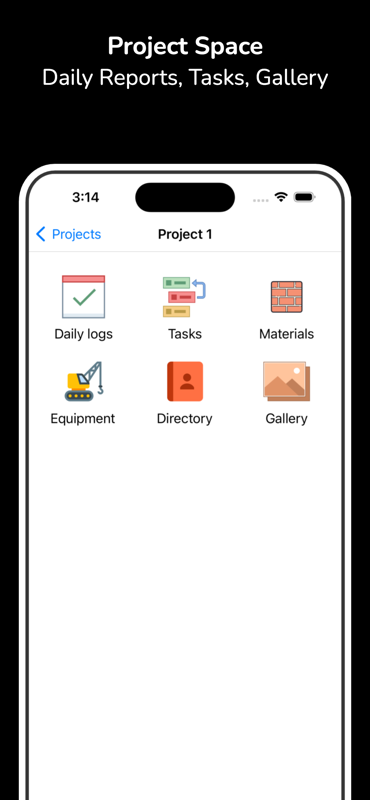
Hours reconstructed at the end of the week are hours that get disputed. BuildLog records crew, trade and time against the day and the project as the day runs, so payroll and any claim you have to defend are reading from the same record.
- Works offline
- Free to start
- Weekly & monthly totals
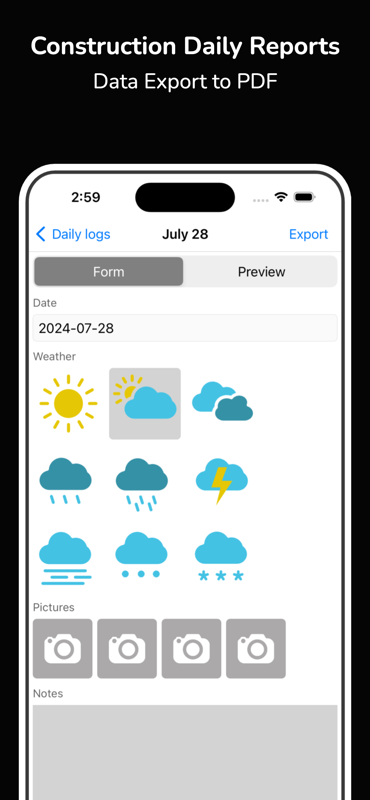
- PDF export
Hours that stand up in a payment dispute
The value of a time card is not that it exists — it's that it was written the day the work happened.
Log hours as they happen
Record crew, trade and hours against the day, on site, while people are still standing in front of you.
Weekly and monthly roll-ups
The same entries total automatically by week and by month, so payroll doesn't start with a pile of paper to add up.
Split across projects
A crew that moves between two jobs in a day is the case that breaks paper time cards. Hours attach to the project they were worked on.
Works with no signal
Record hours anywhere on site and let them sync later. Nothing depends on having coverage at the moment someone clocks off.
Exports with the daily report
Hours are part of the day's record, not a separate system — they come out in the same branded PDF as the rest of the report.
One record for the crew
Foremen log their own crews into the same project, so the office isn't stitching four spreadsheets together at month end.
From the crew on site to payroll
- 1
Create the project and add the crew once
- 2
Log hours by trade as the day runs
- 3
Review the weekly totals in the dashboard
- 4
Export the PDF for payroll or for a claim
Construction time cards — common questions
- Can I track hours for a whole crew, not just myself?
- Yes. Log crew members and their hours against the day and the project. A foreman can record the whole crew in one pass rather than each person filing separately.
- Does the time card app work offline?
- Yes. Hours can be logged with no connection at all and sync automatically once you're back on signal — coverage at knock-off time is not a requirement.
- Can hours be split across two projects in one day?
- Yes. Hours attach to the project they were worked on, so a crew that moves between jobs mid-day is recorded accurately rather than rounded to whichever job it started on.
- Can I export hours for payroll?
- Yes. Weekly and monthly totals roll up automatically and export as a PDF alongside the rest of the project's record.
- Is the time card app free?
- Yes — install BuildLog and start logging hours for free. Paid plans add extra team members and shared projects.
Also see: Construction daily report app · Site diary app
Log this week's hours as they happen
Free on iPhone, iPad and Android. Works offline, totals roll up automatically.


BuildLog is a free construction daily report app for contractors — download the app or read the guides.