The construction daily report app for the site, not the office
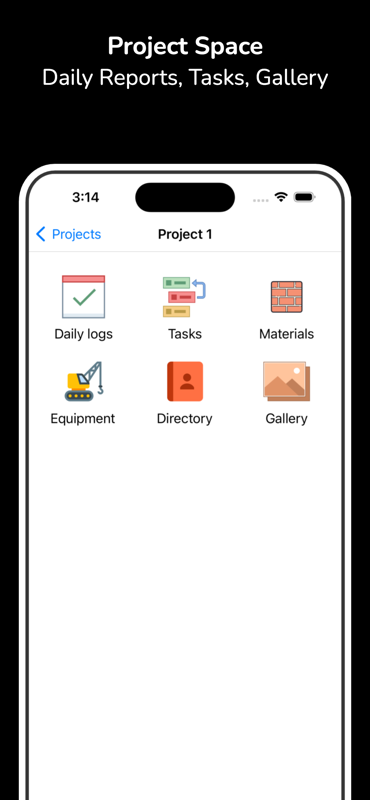
Daily reports get written badly because they get written twice — scribbled on site, then retyped at a laptop at 7pm when half the detail is already gone. BuildLog collapses that into one step: log labor, equipment, materials, weather and photos as the day happens, then export a signed PDF before you drive off.
- Works offline
- Free to start
- Branded PDF export
- iPhone, iPad & Android
Everything a daily report has to prove
A daily report is only worth writing if it will still hold up eighteen months later, in front of someone who wasn't there.
No signal, no problem
Basements, plant rooms, rural jobs. Write the whole report with no connection at all — it syncs the moment you're back on signal.
Labor and hours
Log crew, trade and hours against the day and the project. The same entries roll up into weekly and monthly totals for payroll and for backing a claim.
Equipment and materials
Record what ran, what stood idle and what turned up on the back of a truck. Idle plant is the line item nobody logs and everybody argues about later.
Weather, captured the same day
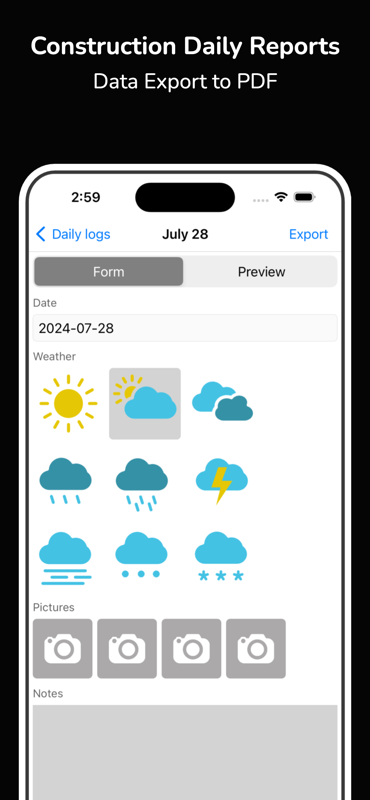
Weather is the first thing a delay claim turns on and the first thing memory loses. Record conditions with the day they belong to, not from a forecast site three weeks later.
Photos attached to the day
Attach photos as you stand in front of the work. Nothing to export from your camera roll afterwards, no filenames to reconcile back at the office.
Branded PDF, sent from site
Generate the report with every photo and hour included, then email it to the owner, the GC or the architect from the phone in your hand.
From the walk-round to a sent report
- 1
Create the project once and add your crew
- 2
Log labor, equipment, materials and weather as the day runs
- 3
Attach photos to the entries they belong to
- 4
Export the branded PDF and send it before you leave
Construction daily reports — common questions
- Is the construction daily report app free?
- Yes — install BuildLog from the App Store or Google Play and start writing daily reports for free. Paid plans add extra team members, shared projects and advanced reporting.
- Does it work without an internet connection?
- Yes. BuildLog works fully offline. Write the report, log hours and attach photos anywhere on site, and everything syncs automatically once you're back on signal.
- What should a construction daily report include?
- At minimum: the date, the weather, who worked and for how long, which equipment was on site and whether it ran, materials delivered or used, work completed, delays and their cause, safety observations, visitors, and photos. Anything you might have to prove later belongs in it the same day.
- Can I export daily reports as a PDF?
- Yes. Every report exports as a branded PDF with photos, hours and signatures included, ready to email straight from your phone.
- Can more than one person write reports on the same project?
- Yes. Add your team to a project and everyone contributes to the same record, so a superintendent, a foreman and the office are not each keeping a private version of the day.
Also see: Time card app · Site diary app
Start today's report in under a minute
Free on iPhone, iPad and Android. Works offline, exports a branded PDF.


BuildLog is a free construction daily report app for contractors — download the app or read the guides.